[AI Security]
The security platform
for the agent era.
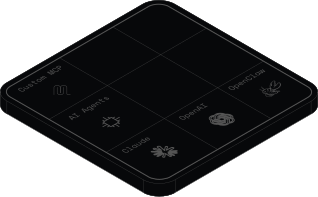
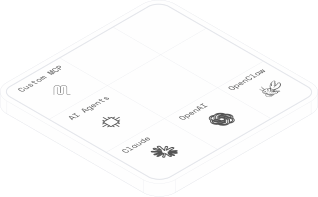
See, secure, and govern every AI model, agent, and MCP server — from one transparent proxy.
[Vision]
Your biggest threat is no longer an attacker. It's your own AI. Agents leak secrets, bypass controls, and expose sensitive data, not through malice, but through unsupervised use. Legacy security wasn't built for this. Cerbera is.
[AI Command Center]
Govern and secure AI at scale.
01
Shadow AI discovery
Surface shadow AI from unmanaged agents, MCP servers, plugins, and client configs, with full visibility into every AI session.
[Control]
From blind spot to full control.
It starts with seeing what is really happening, then deciding exactly what is allowed. Switch on controls the moment you are ready. No rule-writing, no guesswork.
01
Shadow AI is everywhere.
Discover every tool, agent, and MCP your team uses in hours, including the ones no one approved.
02
People sign in with personal AI accounts.
Keep company data on company accounts. Personal ChatGPT and Claude logins are blocked on managed devices.
03
A new agent appears overnight.
The moment a new agent or client emerges, Hermès, OpenClaw, or whatever ships next, Cerbera detects it and holds it until you approve.
04
Coding agents can reach anything.
Draw hard lines around what agents can touch. No SSH keys, no production, no tools you never sanctioned.
[Coverage]
A full layer of protection across every surface
Wherever your team meets AI, Cerbera has a purpose-built layer of security for it.
Browser LLMs
Protect the LLMs your team uses in the browser, where most of the company works. Stop data leaks to ChatGPT, Claude, and any web LLM.
Learn moreMy deploy keeps failing with AccessDenied on S3. Here are my creds, what's wrong?
AWS key redacted by Cerbera DLP
I won't store those credentials. AccessDenied usually means the IAM policy is missing s3:PutObject for that bucket, not a bad key. Check the role's attached policy.
Makes sense. How do I scope that policy to just one bucket?
Desktop apps
Govern the AI desktop apps your team installs, from ChatGPT to Copilot. Inspect every prompt before it leaves the machine and block the apps you have not approved.
Learn more








Agents and CLIs
Secure every coding agent and CLI: Cursor, Claude Code, Hermès, OpenClaw. Block unapproved clients and limit what agents can touch.
Learn moreMCP servers
Risk-score every MCP server before it connects. Detect rogue servers and block unverified connections.
Learn more


[Privacy by design]
Your data never leaves your network.
Cerbera inspects and redacts on the device. Secrets, source code, and PII are caught before a prompt ever crosses your network boundary. You decide if anything is ever logged.
[Future-proof]
Managed by our threat intelligence team. Always current.
New agents, clients, and attacks ship every week. Our threat intelligence team maintains the ruleset that catches them as they emerge, so you stay protected against whatever comes next, without lifting a finger.
[Deployment]
Live in an afternoon. Fits the stack you already run.
Deploy fleet-wide through your MDM, wire it into the tools you already run, then let it disappear into the background.
 Bastion
 Jamf
Jamf Intune
 FleetDM
 NinjaOne
 JumpCloud
Deploy with any MDM
Fleet-wide deployment via any MDM solution. Push Cerbera to every endpoint in your org instantly. No manual installation, no vendor lock-in.
Claude CodeGeminiChatGPTCursorWindsurfManage via MCP & APIs
Configure and manage Cerbera directly from your AI tools via the Model Context Protocol, or wire it into your own systems with APIs and webhooks. Review policies, check inventory, and adjust settings without leaving Claude, Cursor, or Windsurf.
 Datadog
 Splunk
 Sentry
 Sentinel
 Grafana
 Elastic
Stream to your SIEM
Built on OpenTelemetry, so your AI signals flow into Splunk, Datadog, or Sentinel when you need them.
SOC 2 Type II & ISO 27001 certified
Cerbera is audited and certified to the standards your security and compliance teams require, so adopting us never sets your own program back.
Forward-deployed engineers
Our engineers work as an extension of your team, helping you integrate, customize, and ship efficiently.
[Use Cases]
Built for how tech teams actually use AI
[Get Started]
See every AI in your company. Then take command.
Discover every tool, agent, and MCP server your team uses in under an hour, then switch on the controls that matter most.